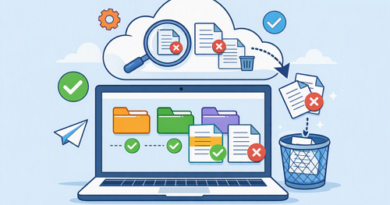
How to Search Your Digital Files More Effectively
Finding one file among hundreds—or thousands—can become surprisingly difficult when filenames are vague and folders are inconsistent. This is especially true when using file-hosting services such as Keep2Share, cloud storage, or a mixture of local and online storage. A few simple search habits can make the process much faster.
-> Go to k2s.cc and create Premium Account
Start With Better File Names
Search works best when filenames contain words you are likely to remember later. Instead of names like “final2.zip” or “IMG_4587.mp4,” use descriptive terms that identify the project, content, or purpose.
A practical naming pattern might include:
- Project or topic
- File type or content description
- Version or status
- Date when useful
For example, “product-demo-video-final.mp4” is much easier to recognize than “video2.mp4.”
Use Search Filters Instead of Guessing
Modern storage platforms can narrow results using filters such as file type, owner, modification date, or keywords. Google Drive, for example, supports combinations of search terms and filters, making it easier to locate specific documents without browsing every folder.
| Search Method | Best For |
|---|---|
| Filename keyword | Known files |
| File type | Videos, PDFs, ZIP files |
| Date modified | Recent projects |
| Folder/category | Organized collections |
| Owner or sender | Shared files |
Keep Your Storage Search-Friendly
Good organization makes searching easier before you even type a query. Use a consistent folder structure, avoid unnecessary duplicates, and archive outdated material instead of allowing everything to accumulate in one location. Google also recommends meaningful names, folders, descriptions, and shortcuts for easier file management.
For larger collections, better file organization strategies can make searches considerably faster and prevent the same files from being uploaded repeatedly.
Make Searching a Habit
The best file search system starts before the file is uploaded. Clear names, logical folders, useful keywords, and regular cleanup turn a chaotic storage space into something you can navigate confidently.
-> Go to k2s.cc and create Premium Account