How to Prepare Large Files Before Sharing Them
Sharing a large file through Keep2Share or another file-hosting service becomes much easier when you prepare it properly first. A few minutes spent checking, organizing, and optimizing your files can reduce upload problems, make downloads smoother, and help protect sensitive information.
-> Go to k2s.cc and create Premium Account
1. Organize and Rename Your Files
Start by removing unnecessary duplicates and outdated versions. Give each file a clear name that tells the recipient what it contains. For example, client-project-final.zip is far more useful than newfile123.zip.
If you have several related files, place them into a clearly named folder before creating an archive.
2. Compress Multiple Files
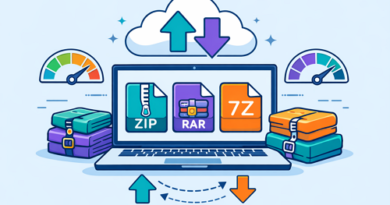
For collections of documents, images, or project assets, ZIP or another archive format can make sharing more convenient. Compression is particularly useful when you need to send dozens of files as one package.
Keep the original files until you have confirmed that the archive opens correctly.
3. Check the File Before Uploading
Large transfers can take considerable time, so check the file first:
- Open important documents and media.
- Confirm the file size is reasonable.
- Remove unnecessary metadata or private information when appropriate.
- Run a malware scan before sharing.
- Make sure the final version is the one you actually want to send.
NIST recommends considering confidentiality and integrity when exchanging files online, especially when sensitive information is involved.
4. Verify File Integrity
For particularly important transfers, generating a checksum can help confirm that the file has not changed or become corrupted during transfer. Cloud-storage documentation commonly recommends checksums as an integrity check for transferred data.
| Preparation step | Main benefit |
|---|---|
| Rename files | Easier identification |
| Compress files | Simpler sharing |
| Scan files | Better security |
| Check integrity | Detects transfer problems |
Make Large File Sharing Easier
Good preparation makes large uploads less stressful. After organizing your files, you can also improve the experience on the receiving side with easy Keep2Share download tips for smoother transfers and fewer unnecessary delays.
-> Go to k2s.cc and create Premium Account